English
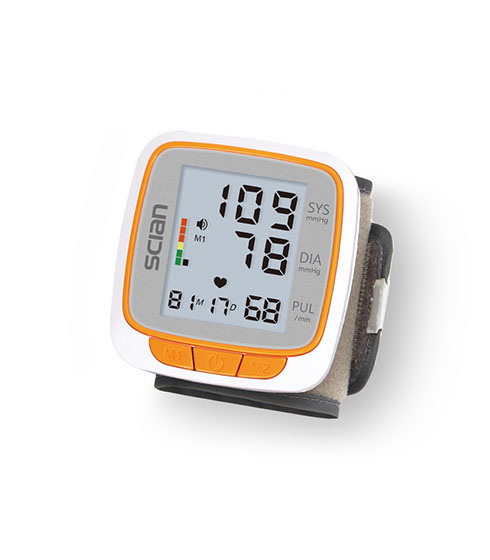
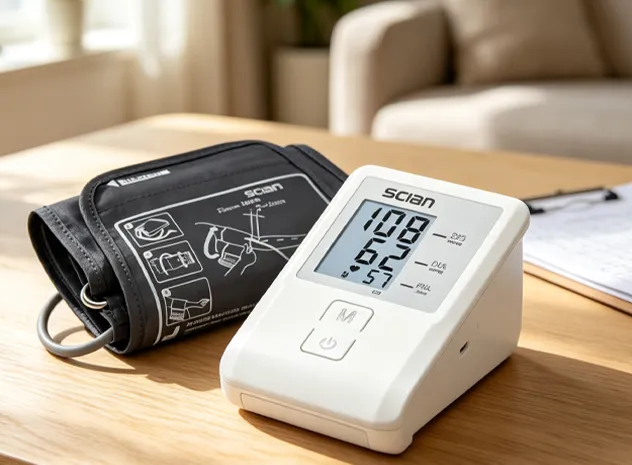
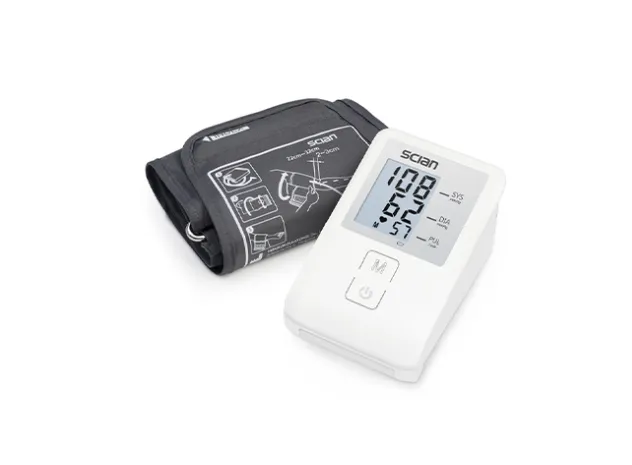
What Do SYS, DIA, and PUL Mean?
These are the three labels most users see first on a digital blood pressure monitor.
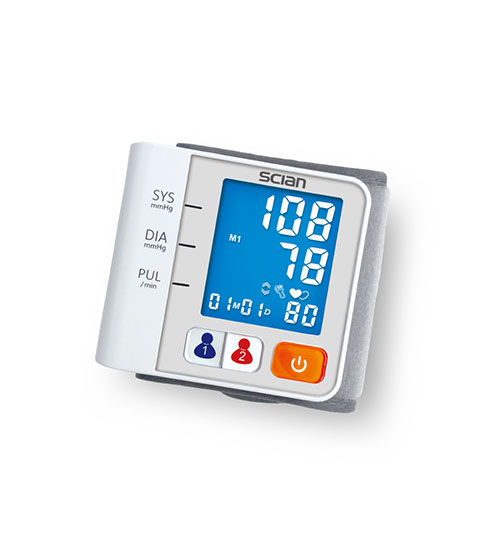
The upper number. It represents the pressure against artery walls when the heart contracts and pumps blood.
The lower number. It represents the pressure against artery walls while the heart rests between beats.
The pulse value displayed by the monitor, commonly shown as beats per minute.
For a clinical explanation of systolic and diastolic blood pressure, see the American Heart Association .
What Does IHB Mean on a Blood Pressure Monitor?
IHB usually refers to an Irregular Heartbeat detection function. On supported SCIAN monitors, the device can display an indicator when it detects an irregular pulse pattern during the blood pressure measurement.
An IHB icon is a screening indicator from the monitor, not a diagnosis of a specific arrhythmia. If the symbol appears repeatedly, especially with symptoms or unusual readings, discuss it with a healthcare professional.
The American Heart Association defines an arrhythmia as a problem with the rate or rhythm of the heartbeat. Learn more about arrhythmias .
What Other Symbols May Appear?
SCIAN models do not all use the same feature set, so some of these indicators only appear on selected devices.
Blood Pressure Classification Indicator
Selected SCIAN models include a color or visual classification indicator to help users interpret the displayed reading. The exact scale and display design depend on the model, so use the manual for model-specific interpretation.
User Memory Groups
M1 and M2 commonly represent separate memory groups for different users. For example, selected SCIAN wrist and upper-arm models offer 2 × 90 memories.
Average Reading Function
On supported models, the monitor can calculate an average from recent stored measurements, such as the last three readings, to provide a short-term summary.
Cuff Fit or Cuff Check Indicator
Selected upper-arm SCIAN models include a cuff check indicator. If it signals a problem, review cuff placement and fit before repeating the measurement.
Movement Error Indicator
If movement is detected during measurement, some monitors display an error indicator. Stay still, avoid talking, and repeat the reading according to the device instructions.
Low-Battery Indicator
A battery icon or low-battery warning means the power source should be checked. Battery type and charging options vary by SCIAN model.
SCIAN Wrist Monitors
LD-737, LD-752, LD-753, and LD-758 are listed with WHO classification, IHB detection, last-three-reading average, and 2 × 90 memory. LD-735 uses a simpler 1 × 90 memory configuration.
Explore Wrist Blood Pressure Monitors →SCIAN Upper Arm Monitors
Selected models add movement error, cuff check, WHO/IHB, multiple memory configurations, and optional wireless features such as Bluetooth, Wi-Fi, or NB-IoT.
Explore Upper Arm Blood Pressure Monitors →Use the Symbol as a Prompt, Not as a Diagnosis
Recheck cuff position, posture, and arm or wrist height.
If movement or cuff errors appear, repeat the measurement after correcting the cause.
Symbol designs and error codes differ between models.
Repeated unusual readings or repeated IHB indications deserve professional review.
A monitor indicator cannot confirm a specific heart rhythm disorder or blood pressure diagnosis.
The Numbers Matter More When the Measurement Technique Is Consistent
A clear display does not compensate for poor cuff fit, talking, movement, or incorrect arm position. The American Heart Association recommends sitting quietly before measurement, using the correct cuff size, measuring on bare skin, and supporting the arm at heart level.
Blood Pressure Monitor Symbol FAQs
What does the heart symbol mean?
The meaning varies by model. It may indicate pulse detection or an irregular heartbeat function. Check the manual for the exact symbol used on your device.
Does an IHB symbol mean I have an arrhythmia?
No. It means the monitor detected an irregular pulse pattern during measurement. It does not diagnose a specific arrhythmia.
What do M1 and M2 mean?
On many monitors they represent separate user memory groups, allowing readings from different users to be stored separately.
Why does the movement symbol appear?
The monitor may have detected movement during measurement. Sit still, remain quiet, and repeat the measurement according to the instructions.
Are all blood pressure monitor symbols the same?
No. Labels such as SYS, DIA, and PUL are common, but icon shapes, memory symbols, error indicators, and connectivity icons vary by manufacturer and model.
What should I do if I do not recognize an icon?
Check the product manual first. If the icon appears together with repeated unusual readings or symptoms, contact a healthcare professional.
Compare SCIAN Digital Blood Pressure Monitor Options
SCIAN offers upper-arm, wrist, and connected blood pressure monitor configurations with different displays, memory functions, measurement indicators, and power options.
Medical note: This article is for general educational purposes and does not replace diagnosis, treatment, or individualized advice from a qualified healthcare professional. Symbol meanings and functions vary by blood pressure monitor model. Always follow the user manual supplied with your device.